
Smile Society — a complete dental clinic booking system in GoHighLevel
One job: turn a website visitor into a booked consultation, then make sure they actually show up — without anyone at the clinic touching a keyboard. Below is the entire system, shown from inside the real GHL account.
Clinics don't lose patients to competitors. They lose them to silence.
A local dental clinic's website usually describes services and hopes people call. Leads fill out a form and wait. Calls go unanswered during procedures. Nobody follows up on no-shows. Each of those moments is a patient quietly choosing another clinic. This build closes every one of those gaps with automation.
Five stages. Every lead visible, nothing in anyone's head.
The pipeline mirrors how a clinic actually works — and every stage change fires its own automation, so moving a card is the work.
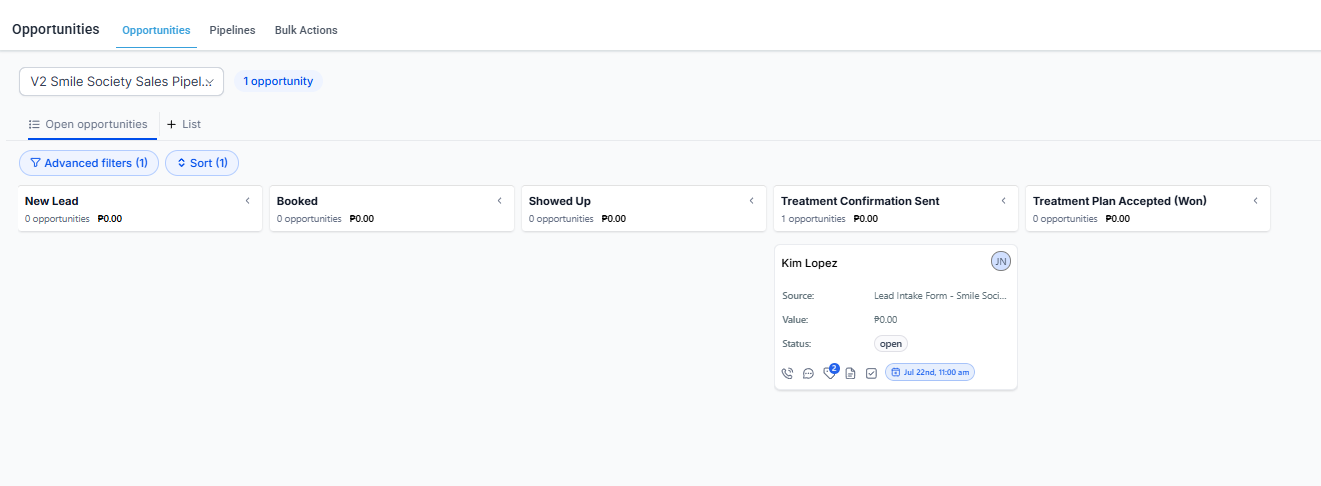
- New Lead — form submitted; instant confirmation email with booking link, 1-hour reminder if they haven't booked.
- Booked — appointment confirmed; day-before and morning-of SMS + email reminders fire automatically.
- Showed Up — thank-you email, patient tagging, and treatment-need routing kick in.
- Treatment Confirmation Sent — multi-day confirmation sequence with timeout branches if they go quiet.
- Treatment Plan Accepted (Won) — internal handoff tasks plus an automated review request a day later.
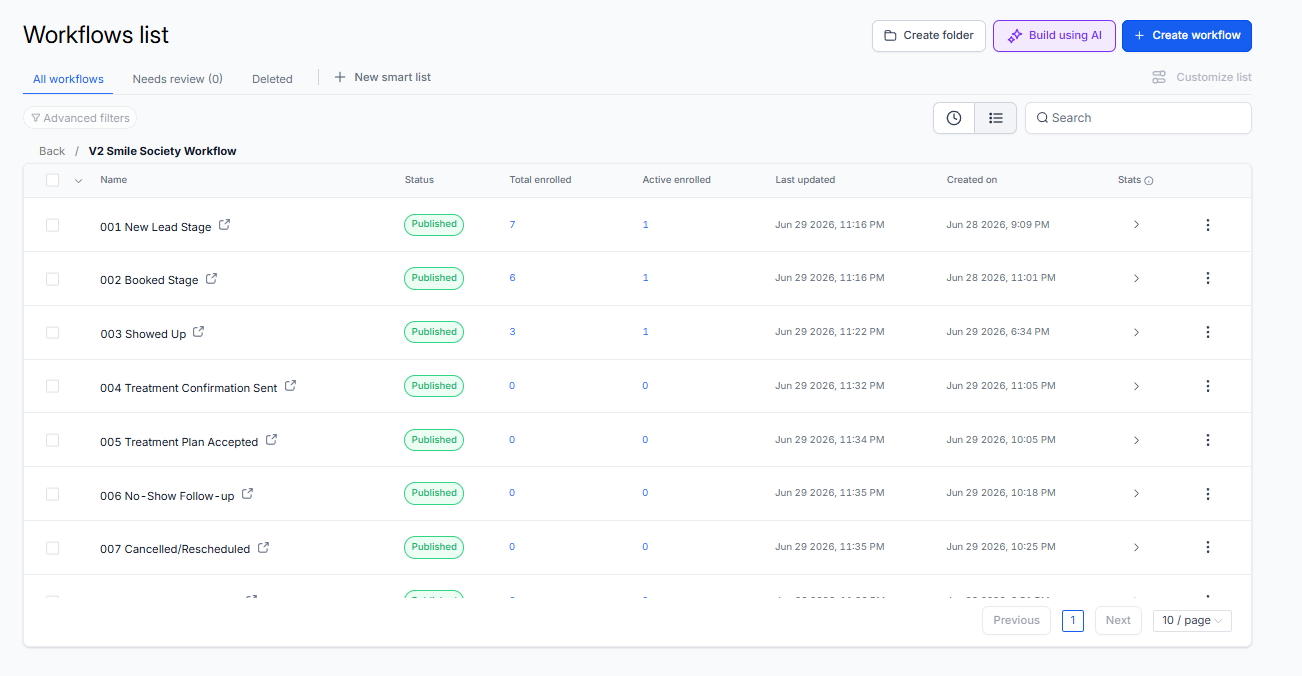
Nine published workflows. This is the engine room.
Featured: 001 — New Lead speed-to-lead
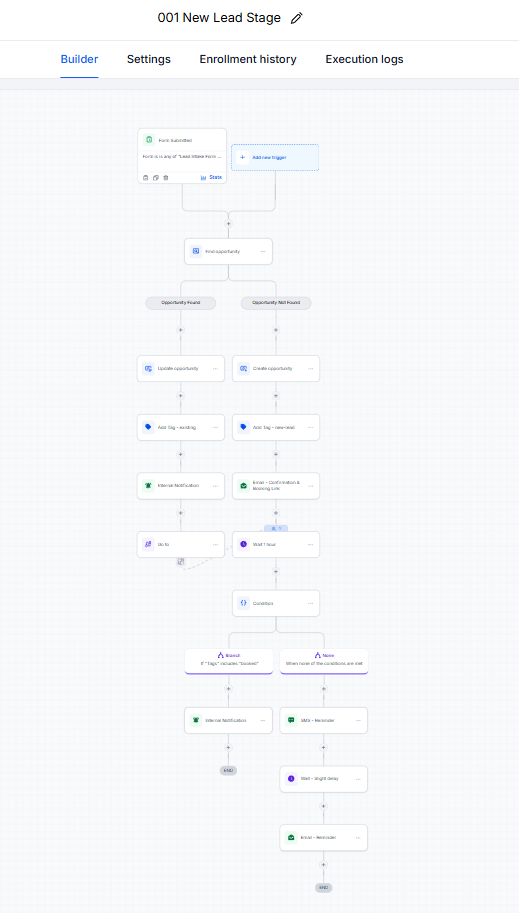
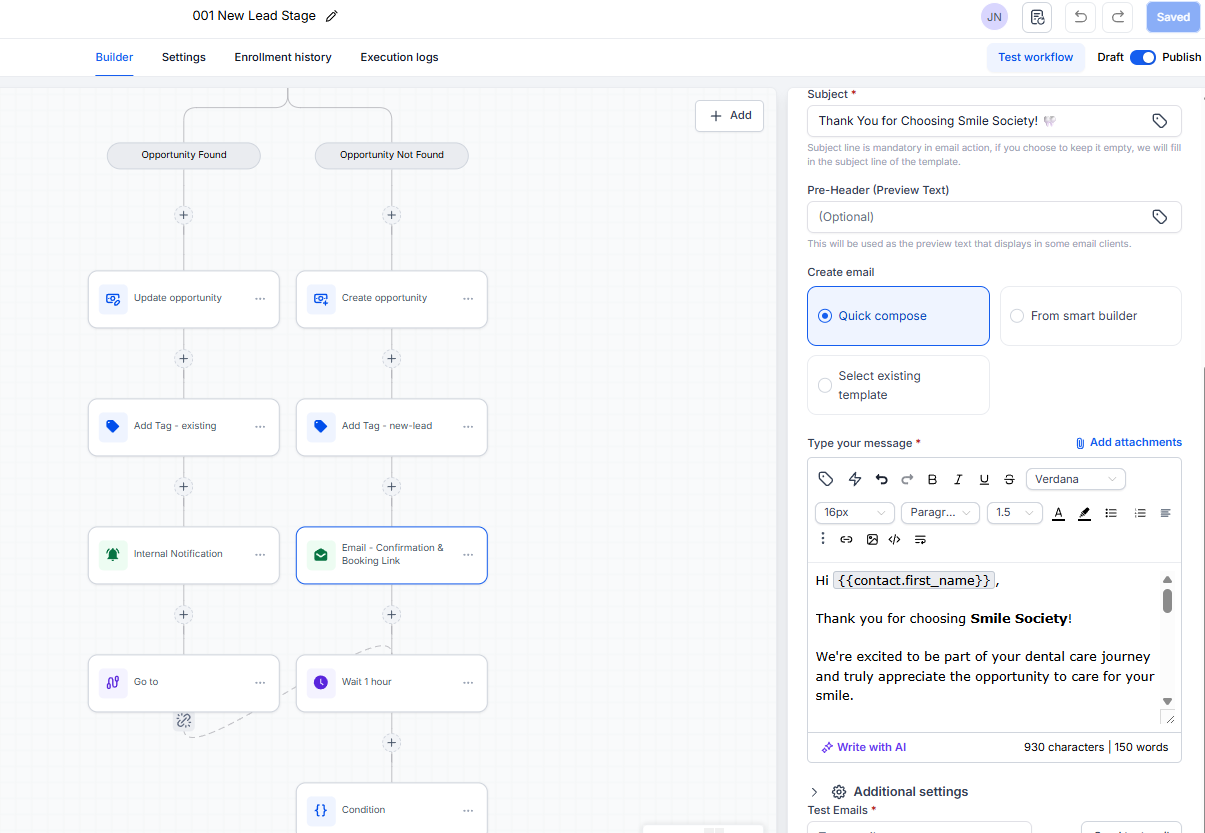
The moment the intake form is submitted, the system checks whether this contact already exists, creates or updates the opportunity, tags them, notifies the clinic, and sends the confirmation email with the booking link — then waits one hour and nudges anyone who hasn't booked. The lead never sits untouched.
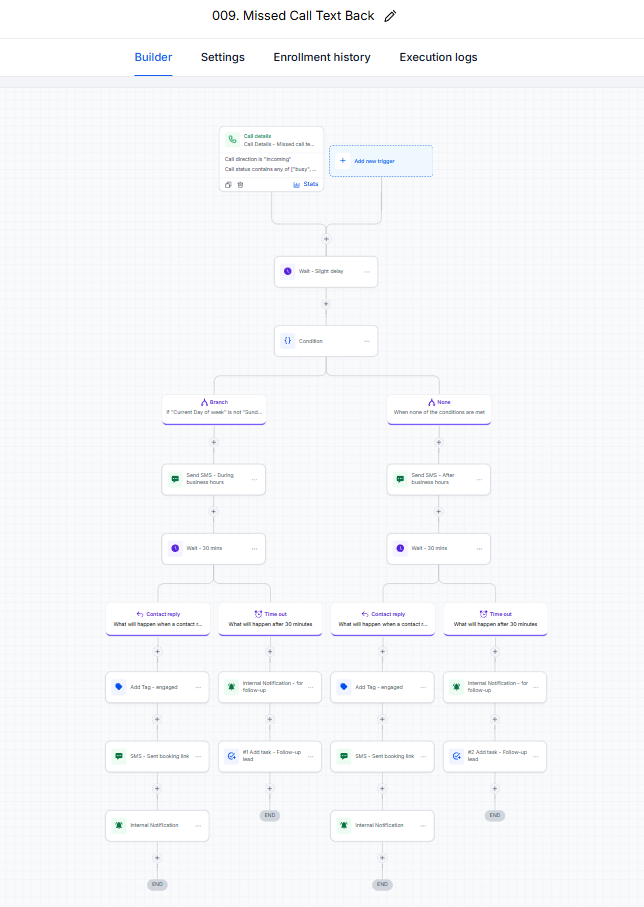
Featured: 009 — Missed Call Text-Back
A missed call triggers an instant SMS — with different messages during and after business hours — then waits 30 minutes for a reply. If the lead replies, they're tagged engaged and sent the booking link; if not, the clinic gets an internal task to follow up. A ringing phone during a procedure stops costing patients.
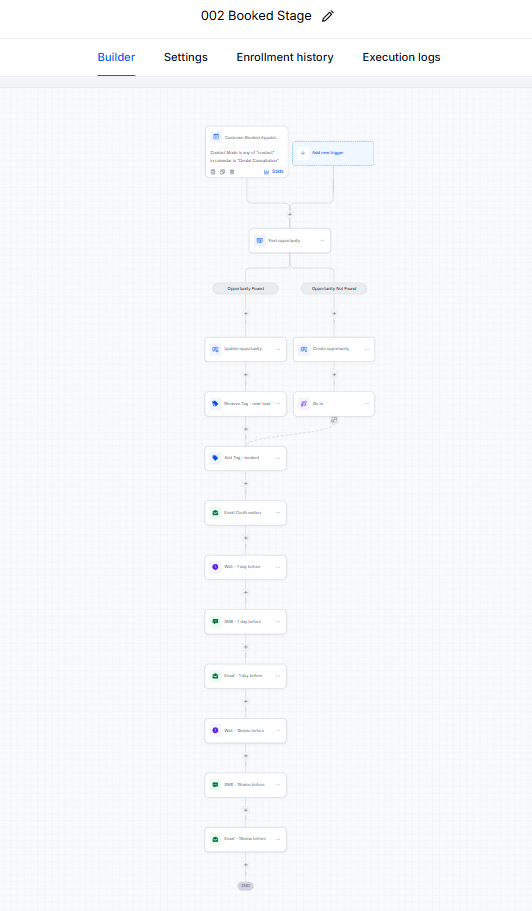
Featured: 002 — Booked-stage reminders
Booking an appointment enrolls the patient in a reminder ladder: instant confirmation, then SMS + email the day before, then SMS + email shortly before the visit. No-show prevention runs on rails instead of on the receptionist's memory.
The other six, at a glance
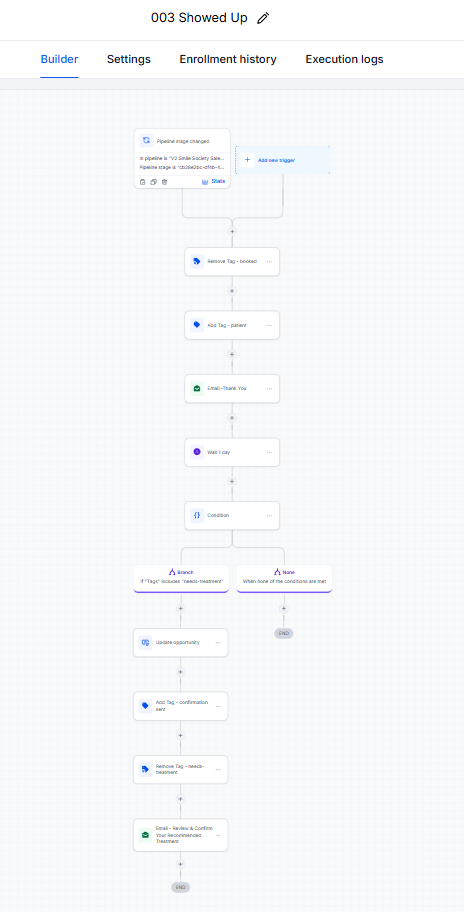
003 — Showed Up
Thank-you email, patient tagging, and needs-treatment routing after the visit.
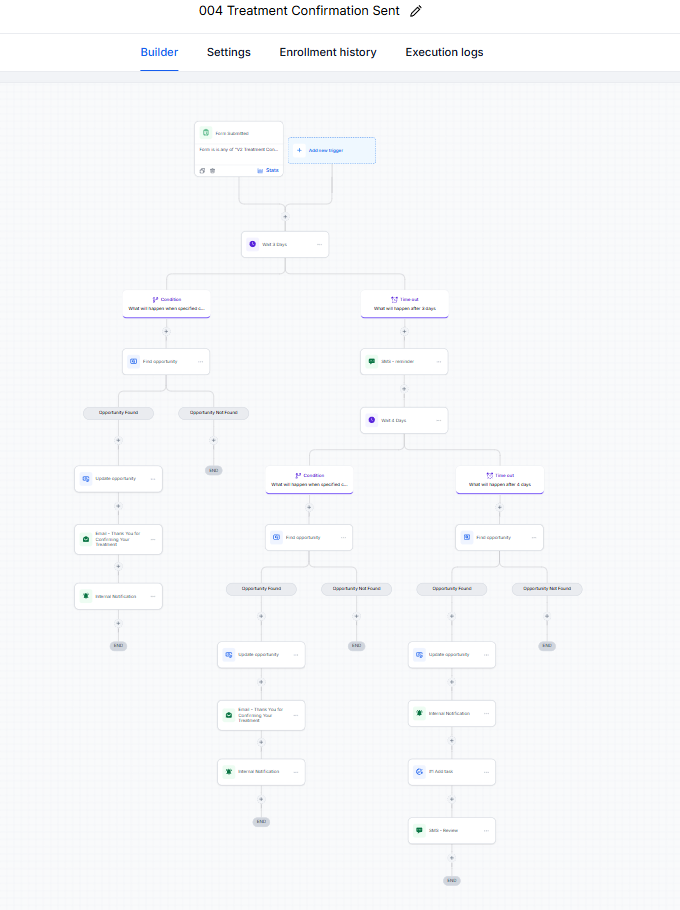
004 — Treatment Confirmation Sent
Multi-day confirmation sequence with condition and timeout branches for quiet patients.
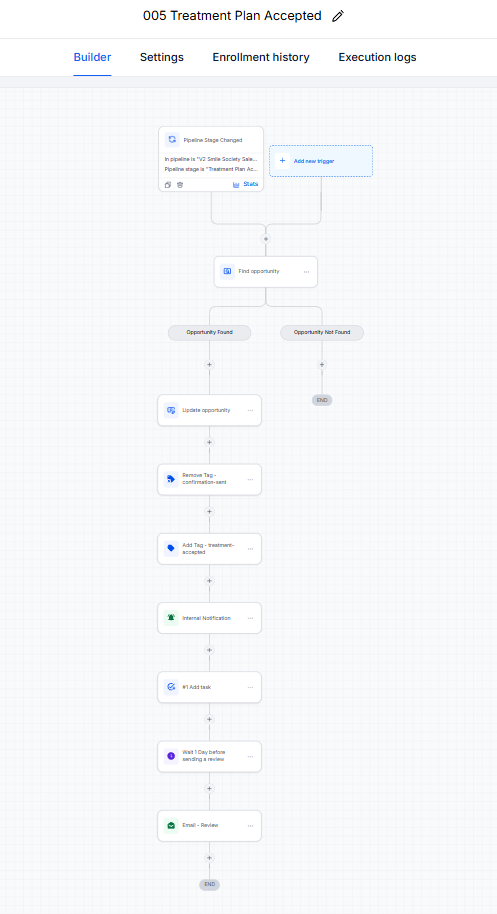
005 — Treatment Plan Accepted
Tag swap, internal notification and task, then an automated review request a day later.
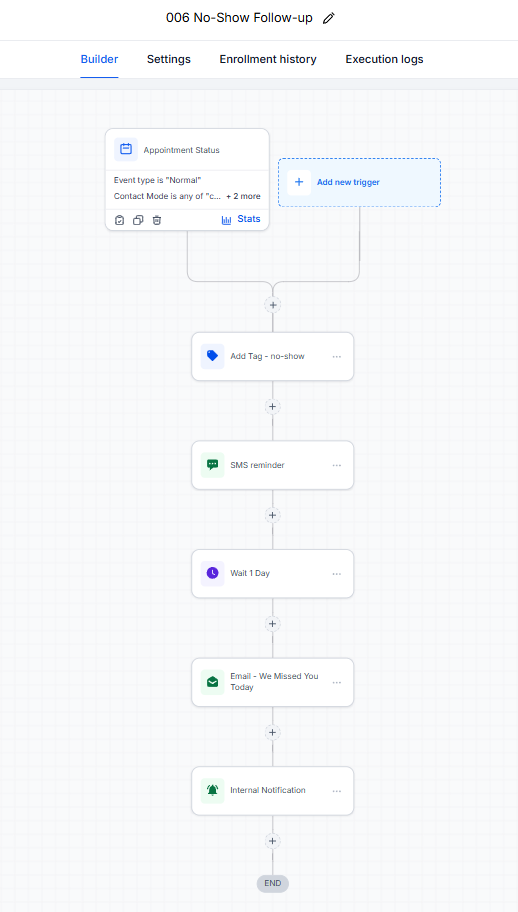
006 — No-Show Follow-up
Immediate rebooking SMS, then a "we missed you" email a day later. No-shows get rescued, not forgotten.
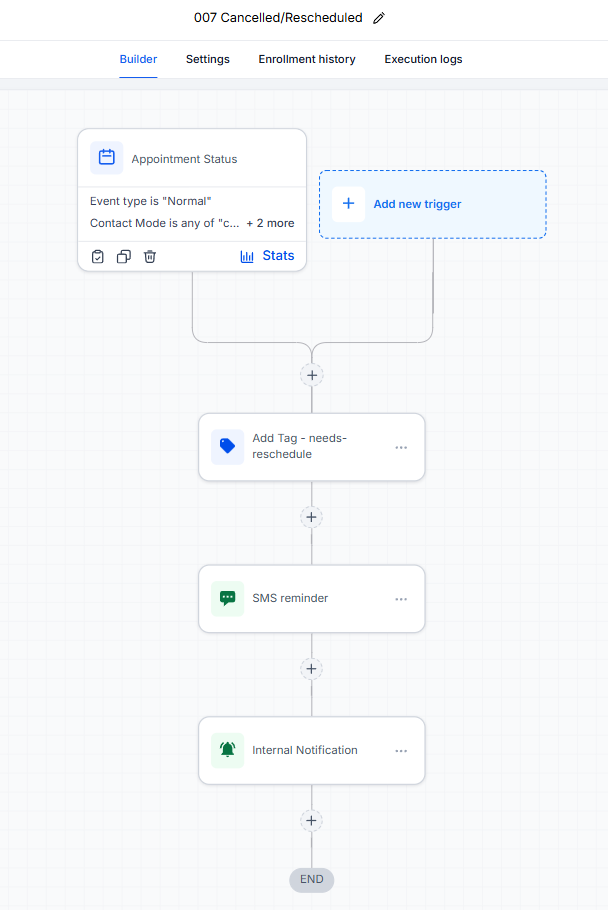
007 — Cancelled / Rescheduled
Needs-reschedule tagging, SMS nudge, and an internal heads-up the moment plans change.
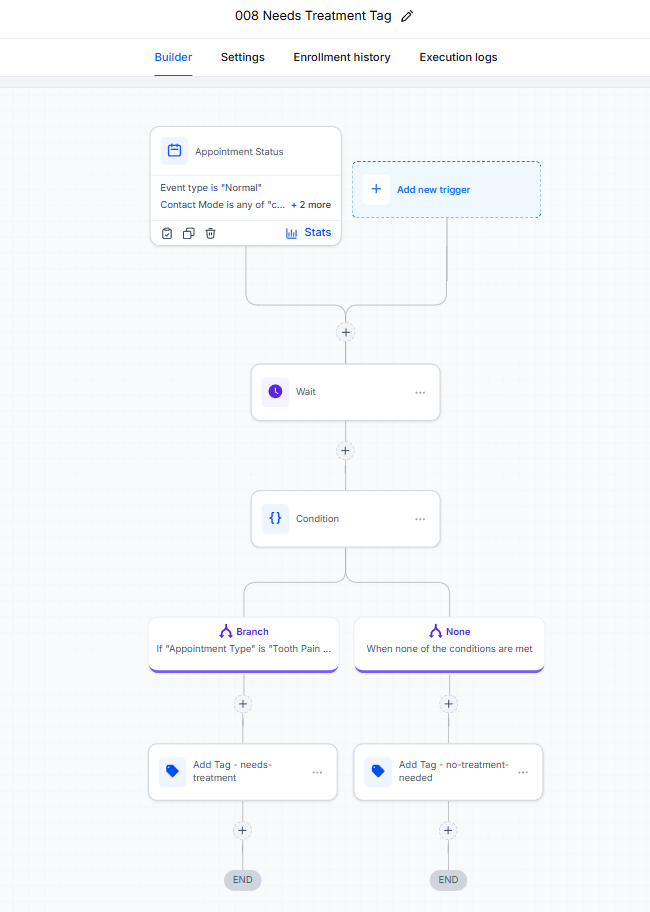
008 — Needs Treatment Tag
Routes each appointment type to the right follow-up path with automatic tagging.
The automation writes like a person, not a robot.
Every email and SMS in the system is written and personalized with contact fields — here's the confirmation email from workflow 001, exactly as it lives in the builder.
Same method. Your pipeline, your follow-up, your patients — or customers.
This structure adapts to any appointment-driven business: clinics, home services, agencies, coaches. We map yours on a free call.
Book a free call →